Batteries
The battery library tracks each of your packs — its spec, its lifetime usage, and the flights it flew. Like the vehicle library it's a subfeature of the logbook: open it with the Batteries button in the logbook toolbar.
The pack list
Packs are grouped (by cell count and capacity) and searchable (serial, label, maker, model, notes, connector, chemistry). Pick one to open its detail; the toolbar creates a new pack and imports one from a file.
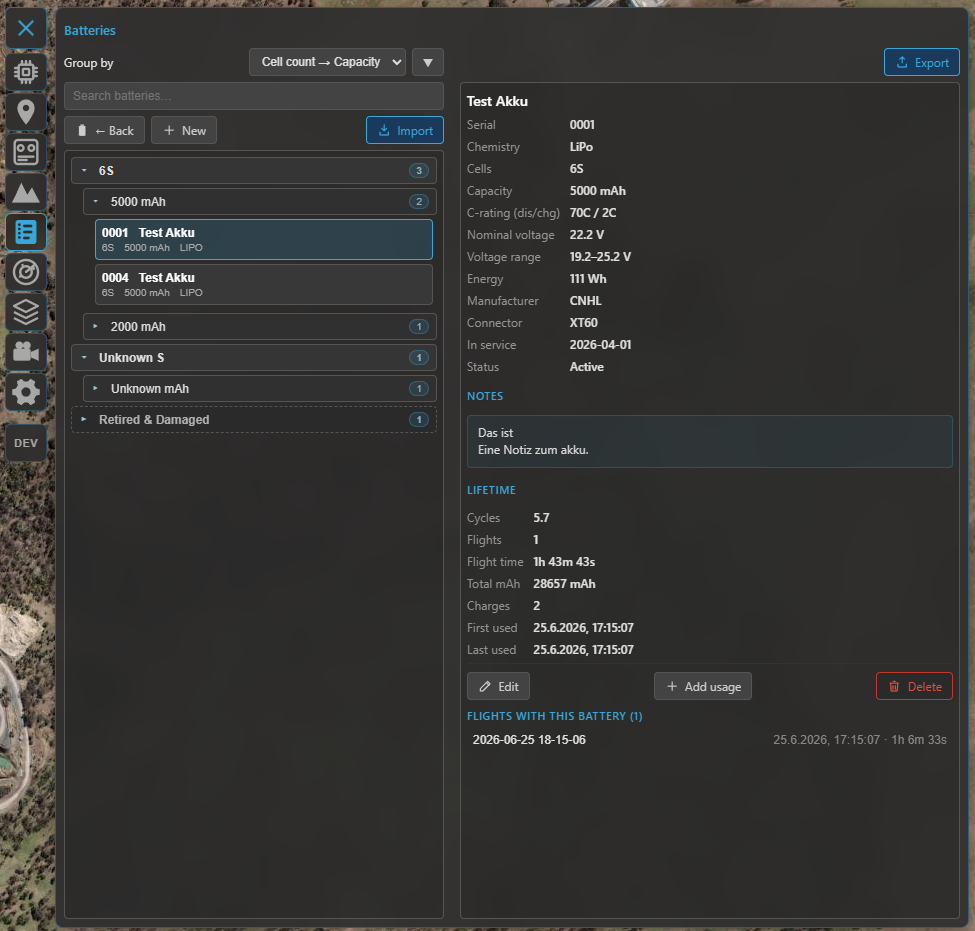
The battery library: the grouped pack list (left) and the selected pack's detail — spec, computed voltage / energy, lifetime totals and linked flights (right).
The pack record
Each pack stores:
- Serial — the unique ID and the link key to flights (upper-case letters + digits). A printed label / sticker on the pack makes this easy.
- Identity — label, manufacturer, model, status (active, storage, retired, damaged), connector (XT60, XT90, …), in-service date and notes.
- Spec — chemistry (LiPo, Li-ion, …), cell count, capacity (mAh) and the discharge / charge C-ratings. From the chemistry and cell count Kite shows the pack's nominal / min / max voltage and its energy (Wh).
Lifetime tracking
Each pack accumulates lifetime totals — flight count, flight time, energy drawn (mAh) and charge / cycle counts — built from the flights linked to it. You can also:
- Add usage — enter manual deltas (e.g. bench cycles, or flights from before you used Kite).
- Baseline — set a starting point so the totals reflect the pack's whole life.
Linking to flights
Flights link to a pack by serial. A single flight can link several packs by listing their serials comma-separated — handy for a parallel pair or a multi-battery aircraft (see the per-instance telemetry in Telemetry & display). Each pack then lists its linked flights and rolls their energy into its lifetime totals. The post-flight summary is where you record the pack(s) you flew and the energy used; you can also edit the link later from the flight detail.
When you delete a flight you can choose to consolidate its battery usage into the pack's lifetime totals first, so the history isn't lost.
Import & export
Move a pack between installs (or back it up) with a .kbatt file. On export you can either keep
just the baseline or consolidate the linked flights into it; on import you get a preview, and if
the serial already exists you're asked to resolve it.
The live battery widget
In flight, the Battery widget shows the live pack — voltage, current, power and charge — and on multi-battery ArduPilot / PX4 aircraft it follows the highest-draw pack automatically. That's covered in Telemetry & display; this page is about the stored library.
Where to go next
- Where batteries link from: Flight logbook.
- The other logbook library: Vehicles.
- The live readout: Telemetry & display.